dime [mb]
Limitless multiband With dime [mb], multiband processing is now both simple and powerful. Easily set up your frequency bands and load your own VST3/AU plugins on each band. Then, have the signal reconstructed coherently, for you. No more being stuck with limited built-in effects. Multiband processing is now limitless.
Rated 4.7 out of 5 from 27 reviews.
Features
- Scan plugins: Scan your hard drive and access your entire complete plugin collection
- Search and sort: Search and sort your plugins by effect type or manufacturer
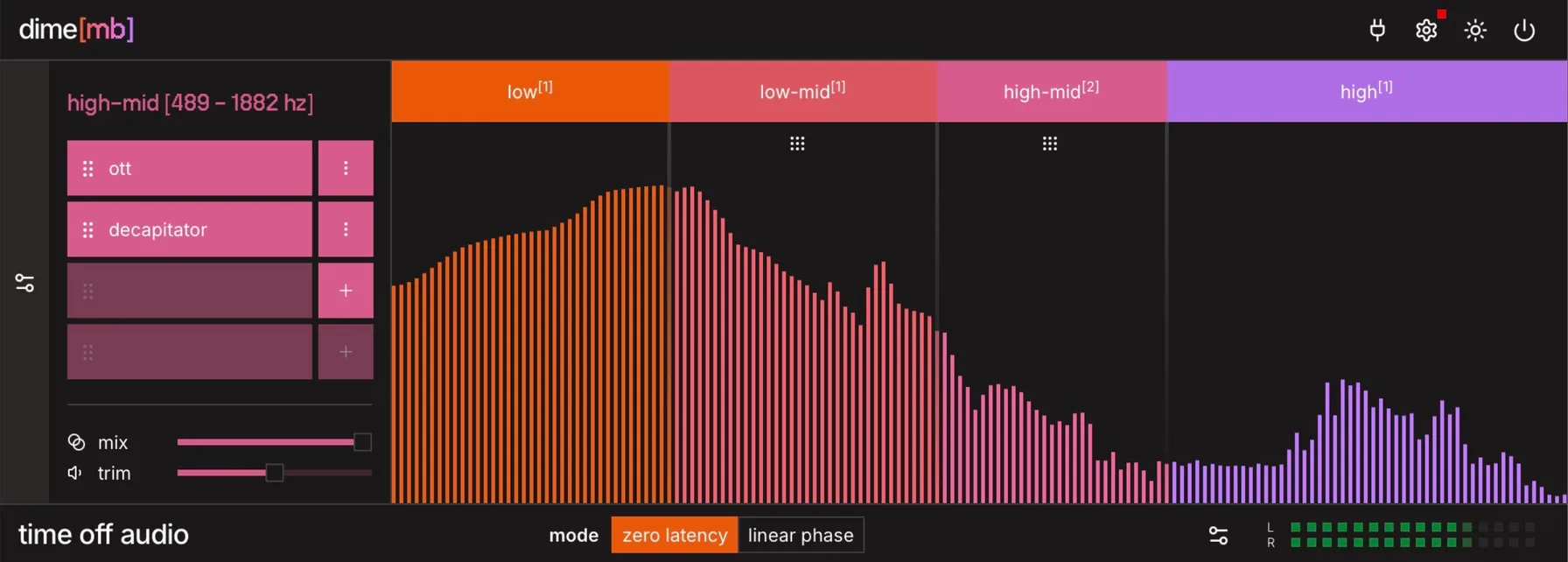
- Build your bands: Set up to 5 frequency bands, each with its own plugin chain, dry/wet and trim sliders, solo and mute toggles
- Create FX chains: Create chained VST3/AU effects on each frequency band
Frequently Asked Questions
- Will the plugin work on my computer?
- Operating systems: macOS 13 (Ventura) and later. Tested on Apple Silicon only. Windows 10 and later. Tested on x64 only. Plugin formats: Wrapper types: VST3, Audio Unit, and AAX Supported hosted plugin formats: VST3 and Audio Unit AAX hosted plugins are not supported, this is a limitation from Avid themselves CPU/RAM: Compatible with both Intel/Apple Silicon. Any modern computer should be more than enough. Plugin window: a web view from your operating system (WebKit on macOS, Microsoft Edge WebView2 on Windows). The window can appear blank if that web view is missing, outdated, or blocked. Graphics: Spectrum and waveform visualizers need a working GPU. If hardware graphics are disabled or unavailable, audio still works; visualizers may be blank or fail to start. iLok-free activation (internet connection required at time of activation) Disk space: ~50mb It’s recommended to try out the plugin on your computer before purchasing. You can download a free trial from the customer portal.
- Do you offer a free trial?
- Yes. Create an account in the customer portal, install the plugin, and activate a 7-day fully functional trial the first time you open it.
- Do you offer refunds?
- Yes. You can request a full refund within 14 days of purchase via the support form.
- How many machines can I activate a license on?
- Each license activates on 3 machines. Transfer a license to a new machine by contacting support.
- What are the most important concepts in multiband processing?
- Frequency bands: Divisions of the audio spectrum into separate ranges (e.g. sub, low-mid, mid, high-mid, high). Each band can be processed independently. Crossover: The frequency point where one band ends and another begins. Bands are split using crossover filters with a 24 dB/octave slope. Multiband processing: Applying different processing to different frequency ranges of the same signal. Traditionally done with compression, saturation, EQ, or other effects. Linear phase: A processing mode that preserves phase relationships across the spectrum. Adds latency but ensures perfect reconstruction when recombining bands.
- How does dime [mb] compare to traditional multiband processors?
- dime [mb] is a multiband processor that lets you load your own VST3/AU plugins on each frequency band. Unlike multiband compressors or EQs with limited built-in processing options, you can use any plugin from your collection: compression, saturation, reverb, delay, or whatever you need, on each band independently. Create up to 5 bands with adjustable crossovers, and load up to 4 plugins per band. Choose between zero-latency or linear-phase modes to suit your workflow. Our algorithm recombines the bands with zero artifacts.
- Can dime [mb] help me improve the quality of my drum sounds?
- Yes, dime [mb] is excellent for drum processing. Split your drum bus into bands — for example, sub, body, and snap. Then, apply different effects to each band. Compress the low-end for punchier kicks, add saturation to the mids for warmth and character, and keep the highs clean for crisp cymbals and hi-hats. You can also use it on individual tracks: tame harsh sibilance on vocals by processing only the high band, or add weight to a thin synth by saturating the low-mids. The flexibility of multiband processing with your own plugins makes dime [mb] a powerful tool for any mix.
- Does dime [mb] have built-in effects?
- dime [mb] doesn't include built-in processors. It's designed to host your own plugins. Load your favorite saturation, compression, EQ, or any VST3/AU effect on each band. This gives you complete creative freedom and lets you use the tools you already know and love.
- Can dime [mb] be used for mastering?
- Yes. dime [mb] offers a linear phase mode that preserves phase coherence across the spectrum when splitting and recombining bands. This makes it well suited for mastering, where phase integrity is critical.

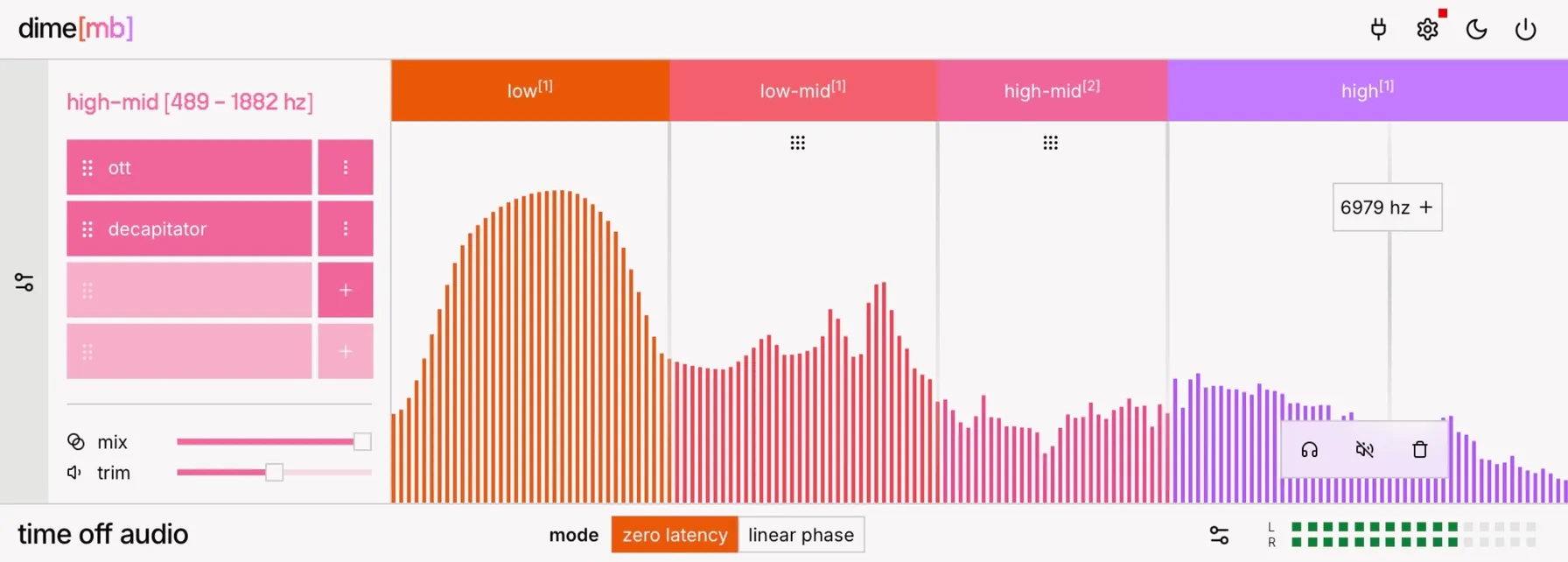




![UI of the dime[mb] audio plugin, focusing on the plugin chain section](/_next/image?url=%2Fimages%2Fdime-mb%2Fchain-dark.jpg&w=1080&q=75&dpl=dpl_Aj7WuWMGB94RmSYhs7ceyXDJbQN1)
![UI of the dime[mb] audio plugin, focusing on the plugin chain section](/_next/image?url=%2Fimages%2Fdime-mb%2Fchain-light.jpg&w=1080&q=75&dpl=dpl_Aj7WuWMGB94RmSYhs7ceyXDJbQN1)